If you are thinking about building a website, it can be difficult to know where to start.
Many small business owners understand that they need a website, but are unsure how the process actually works. This can make the idea of building or redesigning a site feel overwhelming.
The truth is that building a WordPress website follows a clear and structured process. When broken down into simple steps, it becomes much easier to understand.
In this guide, we will walk through the full process from planning and setup through to launch and ongoing maintenance. The aim is to give you a clear picture of what is involved, so you can make informed decisions and feel more confident moving forward.
What Goes Into Building a WordPress Website
Building a WordPress website is not just about design. It involves a series of stages that work together to create a functional, effective, and reliable website.
At a high level, the process includes planning, building, launching, and maintaining your site. Each stage plays an important role in the overall success of your website.
Planning helps define your goals and structure. The build phase brings everything together through design and functionality. Launching makes your website live and accessible. Ongoing maintenance ensures your site continues to perform well over time.
Long-term support is often overlooked, but it is essential. Services such as WordPress maintenance services help keep your site secure, updated, and running smoothly.
Planning Your Website Goals and Structure
The first step in building a WordPress website is understanding what you want it to achieve.
Some websites are designed to generate leads, while others focus on selling products or showcasing a portfolio. Being clear about your goals helps shape every decision that follows.
You also need to consider your audience. Think about who your website is for and what they are looking for. This helps you create content and structure that meets their needs.
Planning your site structure is another important part of this stage. This includes deciding which pages you need, such as a home page, about page, services page, and contact page. It also involves thinking about how users will navigate between these pages.
A well-planned structure makes your website easier to use and more effective overall.
Choosing a Domain Name and Hosting Provider
Your domain name is your website address. It should be easy to remember, relevant to your business, and simple to type.
Choosing the right domain helps create a strong first impression and makes it easier for people to find you online.
Hosting is equally important. Your hosting provider stores your website and makes it accessible to visitors.
Reliable hosting has a direct impact on your website’s speed, security, and performance. Poor hosting can lead to slow loading times and downtime, which can affect both user experience and search rankings.
Taking the time to choose the right domain and hosting provider sets a strong foundation for your website.
Installing WordPress and Initial Setup
Once you have your domain and hosting in place, the next step is installing WordPress.
Most hosting providers offer a one-click installation process, making this step straightforward even for beginners.
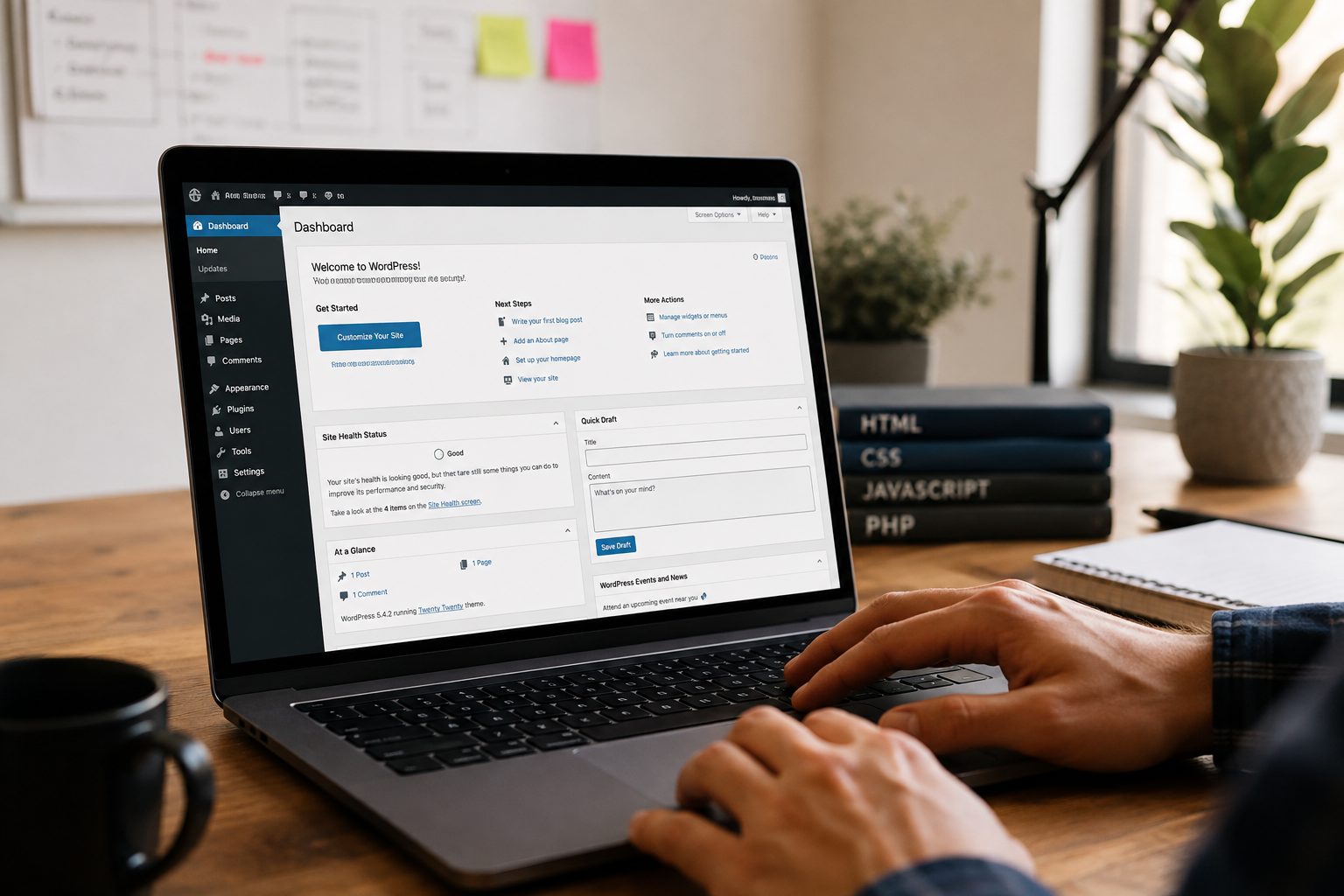
After installation, there are a few basic settings to configure. This includes setting your site title, adjusting permalink structures, and creating your admin account.
These initial steps help ensure your website is set up correctly from the start and ready for further development.
Selecting the Right Theme for Your Website
Your theme controls how your website looks and feels.
There are many free and premium themes available, each offering different designs and features. While it can be tempting to choose a theme based on appearance alone, performance and usability are just as important.
A well-built theme should be responsive, meaning it works well on both desktop and mobile devices. It should also be lightweight to ensure fast loading times.
Choosing the right theme provides a strong visual foundation for your website while supporting performance and usability.
Customising Design and Layout

Once your theme is in place, you can begin customising the design to match your brand.
This includes choosing colours, fonts, and layouts that reflect your business identity. Consistency is important, as it helps create a professional and cohesive appearance.
The layout of your website should also be easy to navigate. Clear menus, logical page structure, and well-organised content all contribute to a better user experience.
Design is not just about appearance. It is about making your website easy to use and understand.
Adding Essential Plugins and Functionality
Plugins extend the functionality of your WordPress website and allow you to add features without needing to write code.
Common types of plugins include:
- Security tools to protect your website from threats
- SEO plugins to help improve visibility in search engines
- Performance plugins to improve loading speed
While plugins are useful, it is important not to install too many. Each plugin adds extra load to your website, so it is best to keep only what is necessary.
Creating and Organising Website Content
Content is one of the most important parts of your website.
This includes your main pages, such as your home page, about page, services, and contact page. Each page should clearly communicate your message and provide value to your visitors.
You may also choose to create blog content to share insights, answer questions, and improve your visibility in search engines.
Organising your content in a clear and logical way makes it easier for users to navigate your website and find the information they need.
Optimising for SEO and Performance
Search engine optimisation and performance should be considered from the beginning.
SEO involves making your website easier for search engines to understand. This includes using clear headings, relevant keywords, and well-structured content.
Performance optimisation focuses on improving your website speed and responsiveness. Faster websites provide a better user experience and are more likely to perform well in search results.
Ensuring your website is mobile-friendly is also essential, as more users now browse on mobile devices.
By addressing these areas early, you create a stronger foundation for long-term success.
Testing Your Website Before Launch
Before launching your website, it is important to test everything thoroughly.
- Check that all links and buttons work correctly
- Test your website on different devices and screen sizes
- Review content for errors or inconsistencies
Testing helps identify any issues before your website goes live, ensuring a smoother experience for your visitors.
Launching Your WordPress Website
Once testing is complete, you are ready to launch your website.
This involves making your site publicly accessible and ensuring everything is working as expected.
After launch, it is important to monitor your website closely. This allows you to identify any early issues and make adjustments if needed.
Launching your website is a significant milestone, but it is not the end of the process.
Ongoing Maintenance and Updates
A website is not something you build once and leave unchanged.
Regular maintenance is essential to keep your website secure, up to date, and performing well.
This includes updating plugins, monitoring security, and checking performance regularly. Backups are also important, as they allow you to restore your site if something goes wrong.
Ongoing maintenance helps prevent issues before they become serious problems and ensures your website continues to support your business.
Common Mistakes to Avoid When Building a WordPress Website
There are several common mistakes that can affect the success of a website.
- Skipping the planning stage
- Choosing poor-quality hosting
- Ignoring SEO considerations
- Installing too many plugins
Avoiding these mistakes can help you build a more effective and reliable website.
Conclusion
Building a WordPress website involves more than just design. It requires a structured approach that includes planning, development, testing, and ongoing maintenance.
Understanding this process helps you make better decisions and ensures your website is built to support your goals.
Whether you are building a site yourself or working with professionals, having a clear understanding of each stage can make the process smoother and more effective.
If you would like support in building or managing your website, you can get started today.
A well-built website is not just an online presence. It is a valuable tool for growing your business.